

If you have a computer with NVIDIA RTX graphics at home, you’re in for a lot of fun with artificial intelligence. At CES, NVIDIA has just unveiled a host of new features that allow ordinary people like you and me to run advanced AI tools directly on their PCs. No waiting for the cloud, no privacy concerns—everything runs locally, quickly, and securely. Let’s focus primarily on how these new features can be used to create videos, images, and other content with AI. Everything is based on optimizations for RTX graphics cards, so if you have an RTX 50 Series or an older model, you can try it right away.
How to Generate Videos 3x Faster and in 4K on an RTX PC
Imagine that you want to create an amazing video, but online tools limit you to text descriptions and the results aren’t exactly what you wanted. NVIDIA now has a solution: a specialized video-generation pipeline that runs on RTX graphics cards and gives you full control. This system allows artists and enthusiasts to create a storyboard, turn it into photorealistic keyframes, and then use them to make a high-quality 4K video. The entire process is divided into three parts that you can combine as needed.
First, there’s a 3D object generator that creates elements for your scene. Next comes a 3D-guided image generator—you set up your scene in Blender and generate realistic keyframes from it. Finally, the video generator takes your starting and ending frames, animates them, and uses RTX Video technology to upscale everything to 4K resolution. The entire process runs up to 3x faster than before and uses 60% less VRAM thanks to PyTorch-CUDA optimizations and support for NVFP4/FP8 formats in ComfyUI.
The key is Lightricks’ new LTX-2 model, which is freely available to download from Hugging Face. This model can create 4K videos up to 20 seconds long with stunning visual quality, including built-in audio, support for multiple keyframes, and advanced control options. On the RTX 50 Series, the NVFP4 format delivers 3x higher performance and reduces VRAM usage by 60%, while NVFP8 is 2x faster and uses 40% less VRAM. Models such as LTX-2, FLUX.1, and FLUX.2 from Black Forest Labs, as well as Qwen-Image and Z-Image from Alibaba, can be downloaded directly in ComfyUI.
How do you use it? Simply install ComfyUI, download the LTX-2 model, and run the workflow. Once the clip has been generated, the RTX Video node in ComfyUI upscales it to 4K within seconds, sharpens edges, and removes artifacts. If you run out of VRAM, ComfyUI can now use system RAM thanks to improved weight streaming. The complete workflow will be available to download next month, but the models and ComfyUI updates are available right now.
A New Way to Search for Files and Videos on Your PC
Searching for files on a PC is often a hassle—you have to rely on names or metadata. But with Hyperlink from Nexa.ai, your RTX PC becomes an intelligent database. This tool indexes documents, presentations, PDFs, and images locally, allowing you to ask questions in natural language and receive answers with citations. On an RTX 5090, it indexes text and images in 30 seconds per gigabyte, compared with an hour on a CPU, and provides an answer in 3 seconds.
The new beta version adds support for videos—search for objects, actions, or speech within videos. This is perfect for video creators looking for B-roll or gamers who want to find that winning moment. Sign up for the beta on the Hyperlink website and try it out—access begins this month.
Improvements for Streamers: NVIDIA Broadcast 2.1
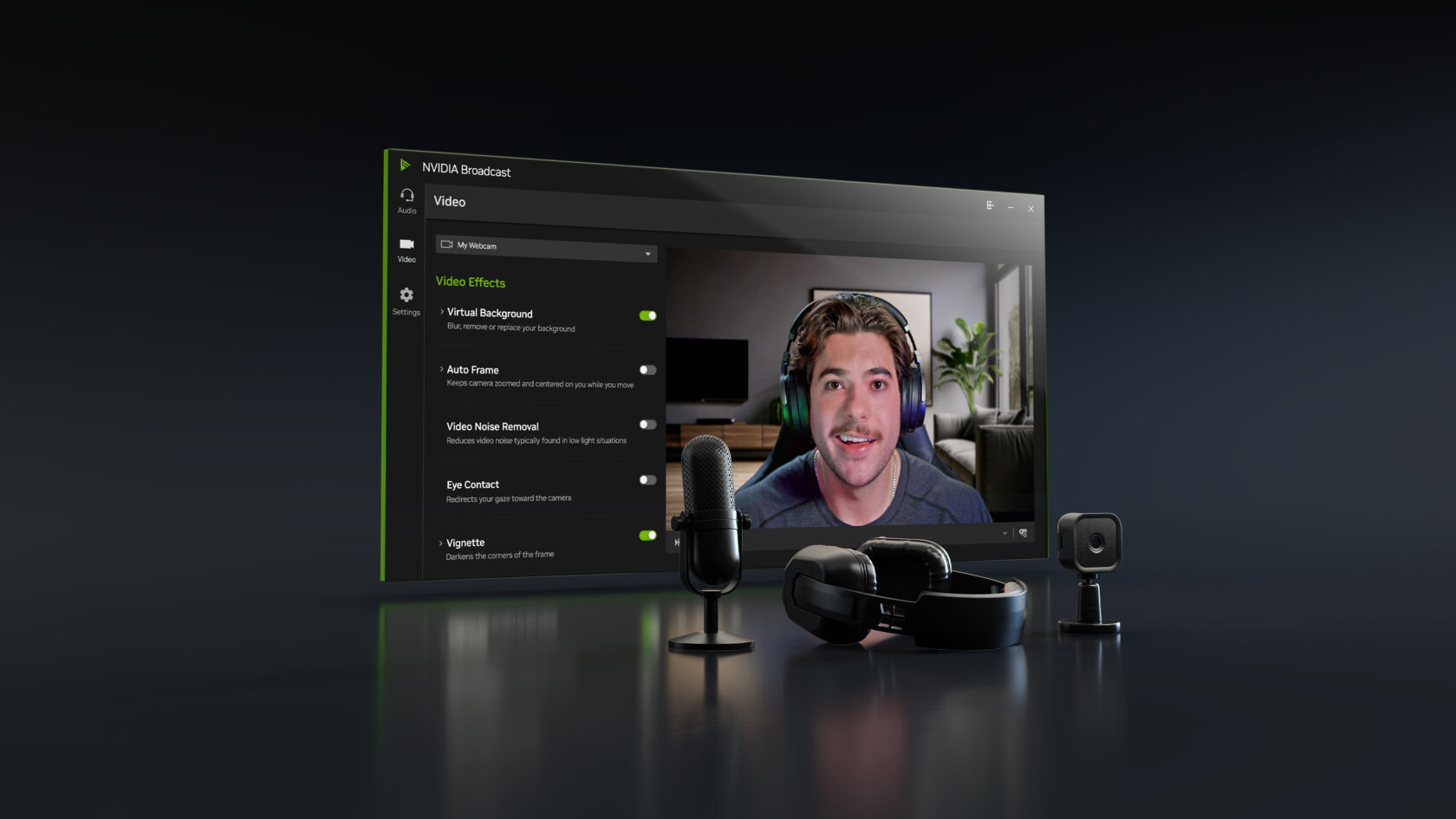
For those who stream or make video calls, there’s NVIDIA Broadcast 2.1. This app enhances your microphone and webcam with AI effects. Virtual Key Light is now also available for the RTX 3060 and above, handles a wider range of lighting conditions, offers broader color temperature controls, and uses an updated HDRi map for professional lighting. Download the update now and try it out—it’s ideal for improving quality without extra hardware.
DGX Spark: An AI Supercomputer for Your Home Studio
If you want even more performance, try DGX Spark—a compact supercomputer that fits on your desk and works alongside your PC. It’s great for testing large models, creating prototypes, or generating assets in parallel while you edit on your main PC. Since its launch three months ago, performance has improved by more than 2.5x. New playbooks will help you with tasks such as speculative decoding and model fine-tuning.


