

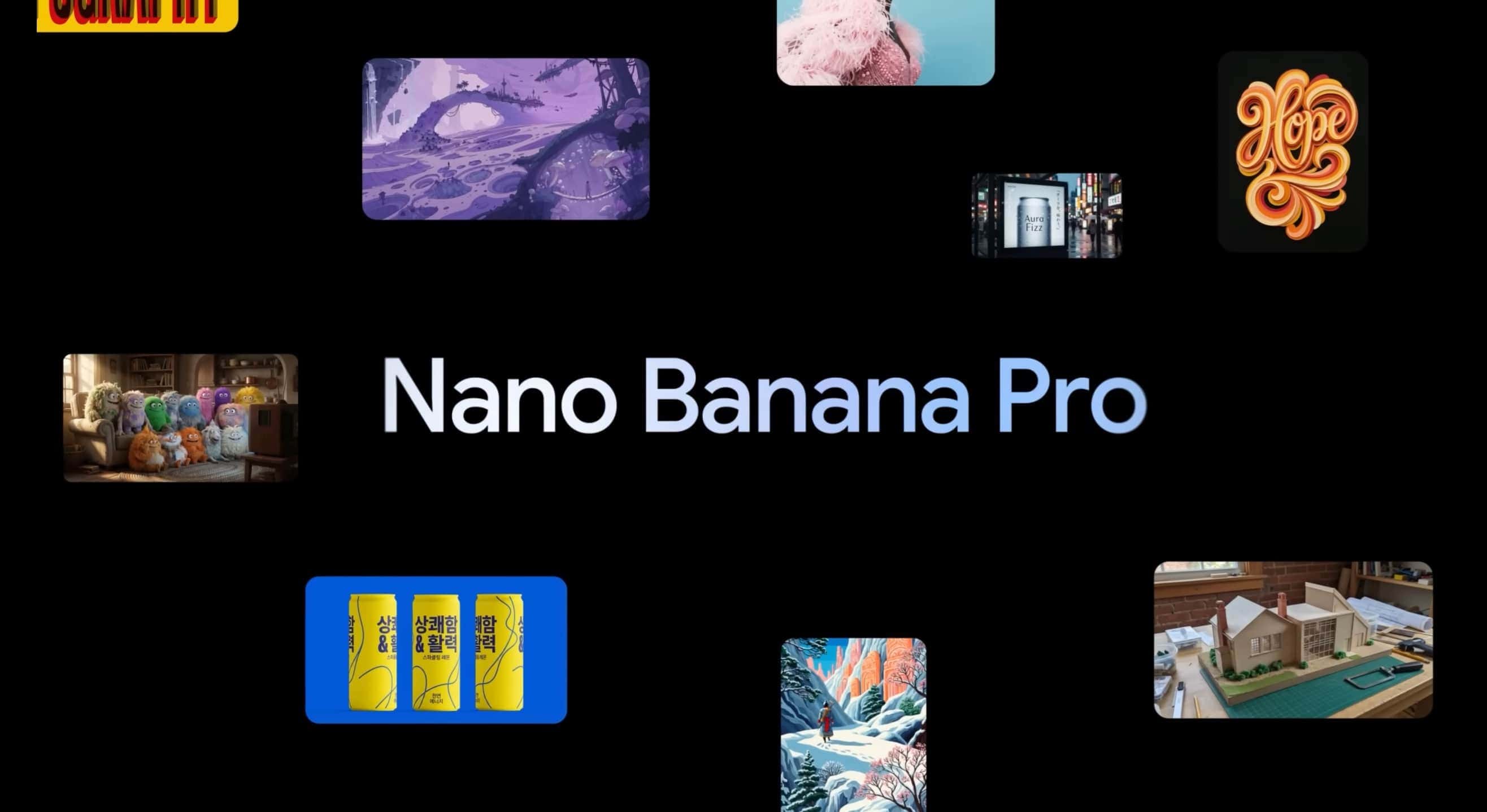
Google DeepMind has just introduced Nano Banana Pro, its new model for generating and editing images. This model is built on Gemini 3 Pro and brings many improvements, such as better text rendering, world knowledge, and advanced controls. It is available in the Gemini app, AI Studio, Vertex, and other services. For example, in the Gemini app, you can try it by selecting "Create images" with the "Thinking" model. Free users have a limited number of attempts, after which it switches to the older version of Nano Banana. Google AI Plus, Pro, and Ultra subscribers have higher limits.
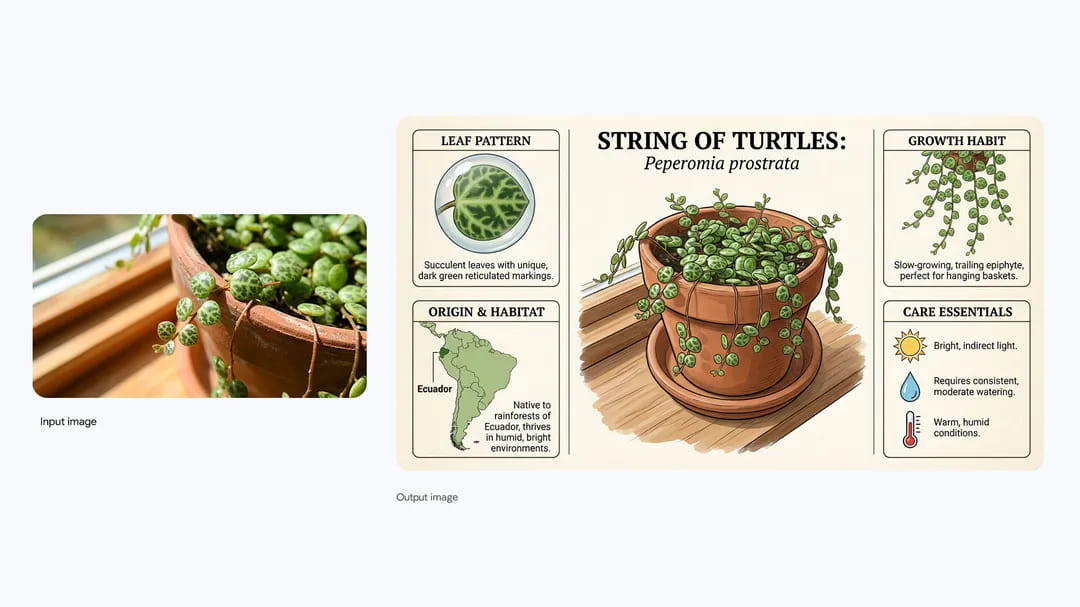
The Nano Banana Pro model helps visualize ideas, create infographics, or convert handwritten notes into diagrams. Thanks to Gemini 3 Pro's advanced reasoning, it can create accurate, information-rich visuals based on real-world information. For example, you can create an infographic about the String of Turtles plant featuring details about its origin, care, and growth. Another example is an infographic explaining how to prepare elaichi chai, a cardamom tea, with detailed step-by-step instructions.
One of the biggest advantages is improved text rendering directly within images. Nano Banana Pro can create legible text in various languages, making it ideal for posters, mockups, or international content. For example, you can generate a storyboard for a scene with an astronaut featuring four panels: an establishing shot, medium shot, close-up, and POV shot. Another example is an image of a street in Berlin where the façades of the buildings form the word "BERLIN" in blue, red, white, and black, while the buildings still look like buildings and the resemblance to the letters remains subtle.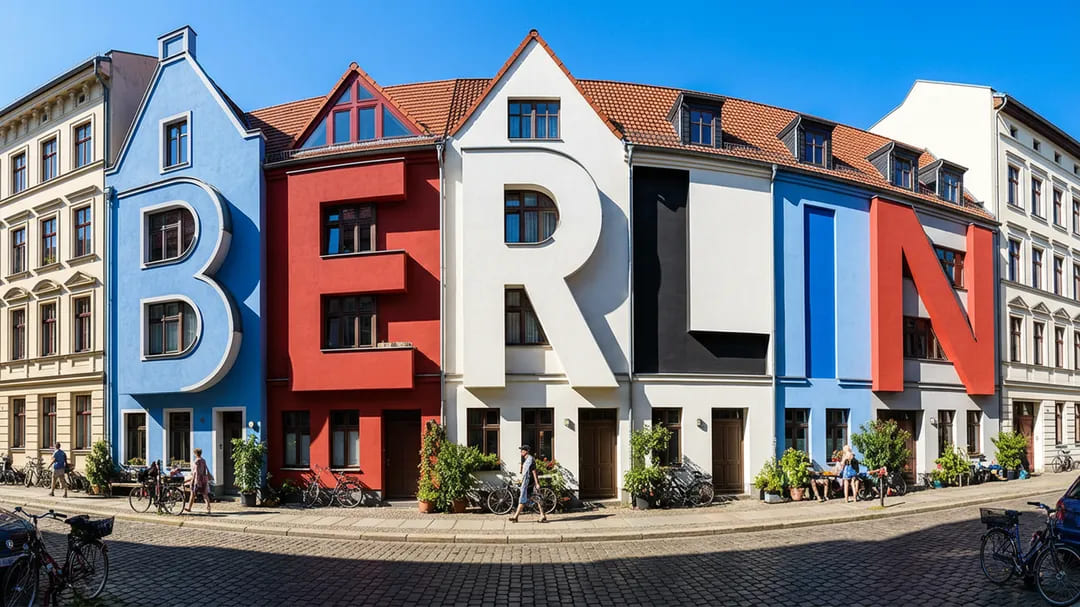
The model supports translation and localization. You can translate text on cans from English into Korean while keeping the rest of the image unchanged. Another example is the phrase "How much wood would a woodchuck chuck if a woodchuck could chuck wood" rendered in wood being chopped by a woodchuck. Nano Banana Pro can also create comic-style weather reports using real-world data from Google Search, such as weather information or sports results.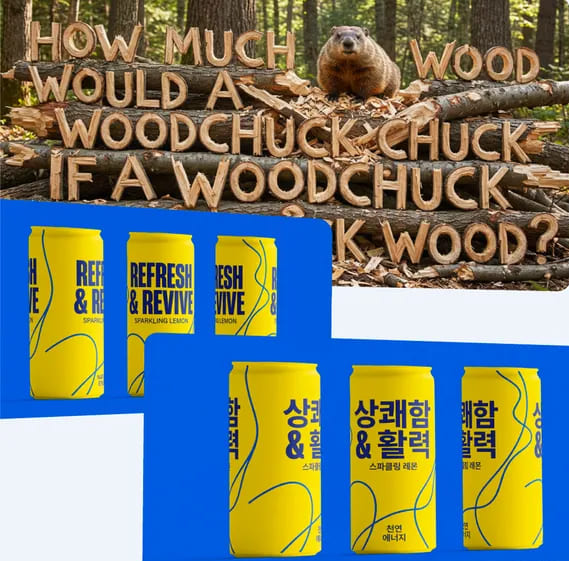
Advanced controls and creative possibilities
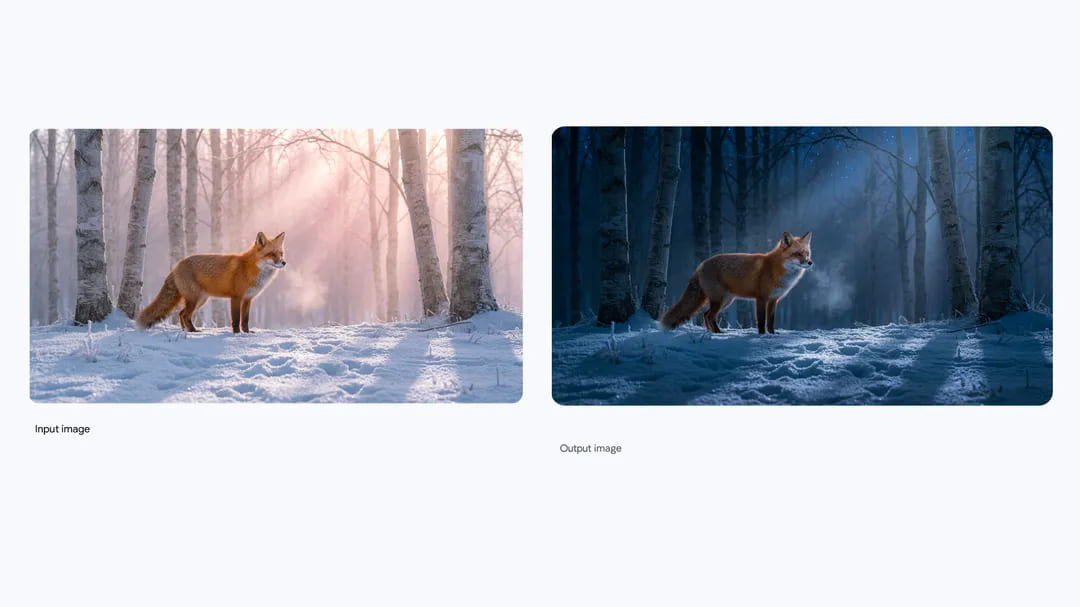
Nano Banana Pro offers studio-quality editing. You can change the lighting, camera angle, focus, or color grading. For example, turn a daytime scene with a fox into a nighttime one, or focus on the flowers instead of the girl in the field. The model supports various aspect ratios, such as 9:16 for a vertical poster or 21:9 for a wide shot, and resolutions of up to 4K.
Another major strength is image merging. You can combine up to 14 images (the number varies by platform) and maintain consistency across up to five characters. For example, combine 14 furry characters sitting on a couch in front of a television in a cozy living room with warm light from the window and the glow of the TV. Another example is merging images of a dress, plants, and a chair into a single cinematic scene with a 16:9 aspect ratio, where you change the dress on the mannequin.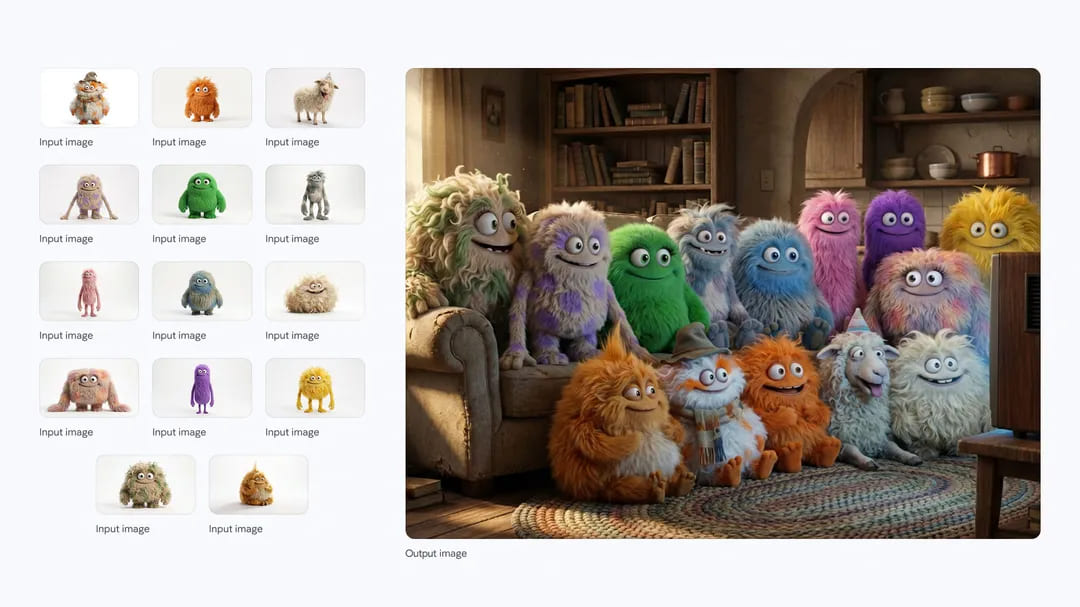
For brands, the ability to maintain a consistent style is particularly useful. You can create a logo inspired by a sketch, such as the word "WAVE" shaped like a wave in a retro 1960s and 1970s style, with soft, flowing letters, a light blue background, and a dark blue logo. Then apply it to 10 mockups, such as products, advertisements, billboards, or bus stops, each in a 16:9 aspect ratio.
Tips for effective use
To get the most out of Nano Banana Pro, write detailed prompts. Include the subject, such as a stoic robot barista with blue optics; the composition, such as an extreme close-up; the action, such as brewing coffee; the location, such as a futuristic café on Mars; and the style, such as 3D animation. For edits, be direct—for example, "change the man's tie to green, remove the car in the background."
Add details about the camera and lighting, such as "low angle with a shallow depth of field (f/1.8)" or "golden hour with long shadows." For text, be specific, such as "the heading 'URBAN EXPLORER' in bold, white, sans-serif lettering at the top." If you use uploaded images, define their roles—for example, "use image A for the character's pose, image B for the artistic style, and image C for the background."
For diagrams, emphasize accuracy—for example, "scientifically accurate cross-sectional diagram" or "ensure historical accuracy for the Victorian era."
Current model limitations
Nano Banana Pro still has areas for improvement. Small text, fine details, or correct spelling may not be perfect. Always verify facts in diagrams or infographics. Translations may contain grammatical errors or lack cultural nuances. Complex edits, such as merging images or changing lighting, can sometimes create unnatural artifacts. Character consistency is generally reliable, but it may vary.
The model is available to consumers in the Gemini app, to professionals in Google Ads and Workspace apps such as Google Slides and Vids, to developers through the Gemini API and Google AI Studio, and to enterprises through Vertex AI. All images have an invisible SynthID watermark identifying them as AI-generated. In the Gemini app, you can upload an image and ask whether it was created by Google AI.
Naina Raisinghani, a product manager at Google DeepMind, described the model as a bridge between imagination and professional execution. Bea Alessio, a group product manager at Google DeepMind, shared prompting tips. The YouTube video demonstrates how the model works, with music and examples featuring the text "Nano Banana Pro from Google" and scenes showing control over color, focus, and lighting.


