

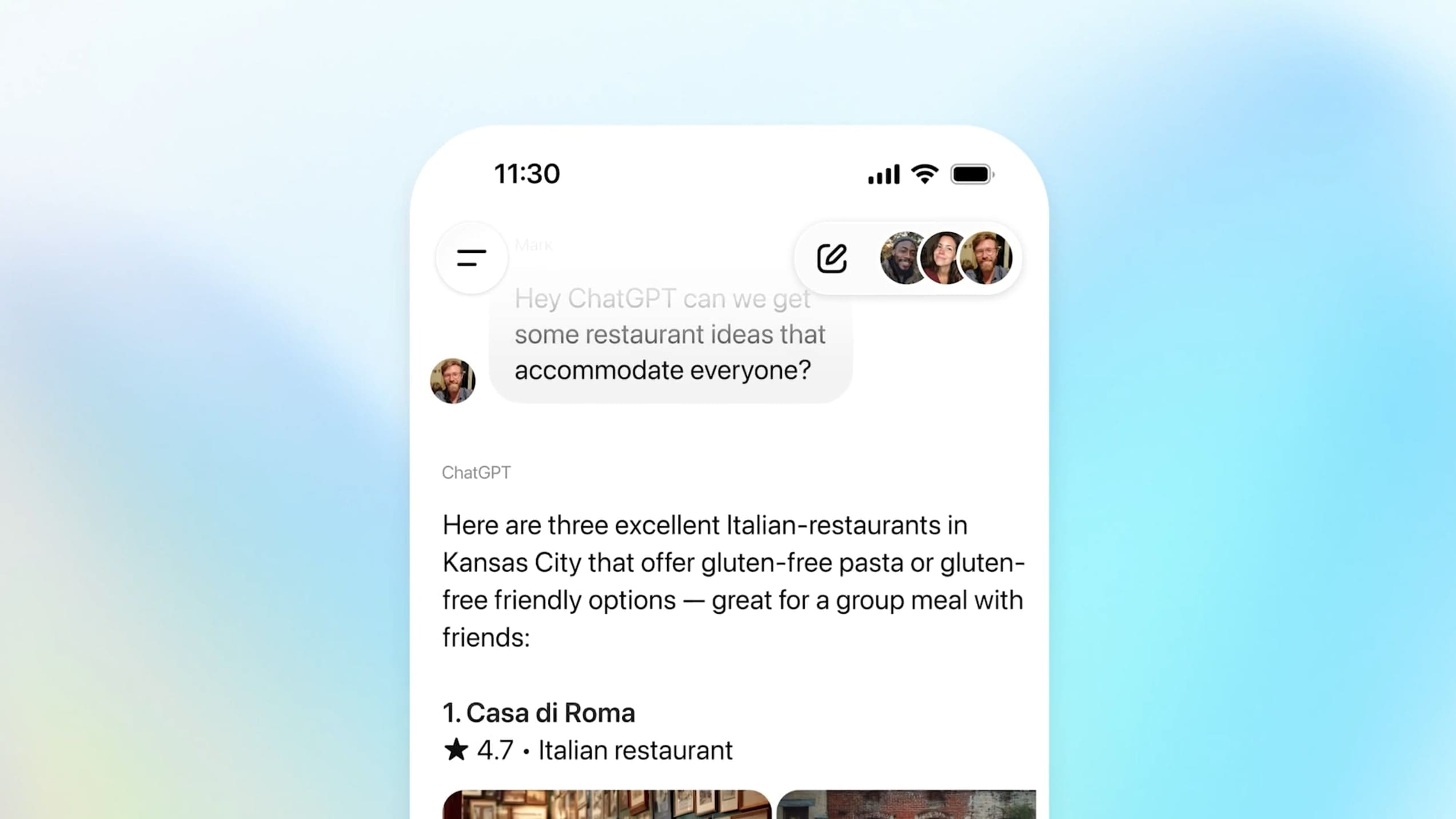
OpenAI has launched a new feature in ChatGPT that allows people to chat together with artificial intelligence in a single shared conversation. This new feature, called group chats, is now being rolled out to all signed-in users worldwide on the Free, Go, Plus, and Pro plans. It began as a pilot test in countries such as Japan, New Zealand, South Korea, and Taiwan, where the feature appeared on November 13, 2025. Following positive feedback, it is now becoming available to millions of people globally as of November 20.
The feature is designed to help with planning, decision-making, or collaboration. For example, when organizing a dinner with friends, ChatGPT can suggest restaurants that suit everyone's tastes or help choose a destination for a weekend trip. In the workplace, it can make it easier to create a document outline or summarize articles and notes. OpenAI emphasizes that this is a separate space from private conversations, so your personal ChatGPT memory remains hidden from others.
How do these chats work?
Getting started is simple: in the ChatGPT mobile app or on the web, tap the people icon in the top-right corner of a new or existing conversation. If you add people to an existing chat, the system creates a copy so that the original remains untouched. You can then share a link with up to twenty people – anyone in the group can forward it. When you first join a group chat, you set up a short profile with your name, username, and photo so everyone can see who is speaking.

ChatGPT responds intelligently in these groups – it follows the flow of the conversation and decides when to join in and when to remain silent. If you want to address it directly, simply mention "ChatGPT" in your message. It can react to messages with emojis and even use participants' profile photos, for example when creating personalized images. Responses are powered by the GPT-5.1 Auto model, which selects the most suitable model based on the request and the plan of the user it is responding to. Features such as search, image and file uploads, image generation, and dictation are available. Response limits are counted only when ChatGPT replies and are based on the plan of the person it is responding to.
To manage the group, tap the participant icons – there you can change the group name, add or remove people, mute notifications, or set custom instructions for ChatGPT, such as a specific tone or context. For example, you can ask it to respond in a particular style when planning a garden design with your family.
Privacy and security
OpenAI emphasizes that group chats are separate from your private conversations. No personal memory is shared, and ChatGPT does not create new memories from these chats. In the future, the company plans to add more options for managing whether and how memory is used.
Everyone must accept an invitation to join and can see everyone who is in the chat. Participants can leave at any time, and the group can remove other members – the group creator can only be removed by leaving voluntarily. For younger users under the age of 18, ChatGPT automatically restricts sensitive content for everyone in the chat, and parents can disable it completely through the parental controls in the help center.
According to OpenAI, this new feature is the first step toward making ChatGPT a shared space for collaboration where artificial intelligence helps in real group discussions.
Additional sources: techcrunch.com and theverge.com


