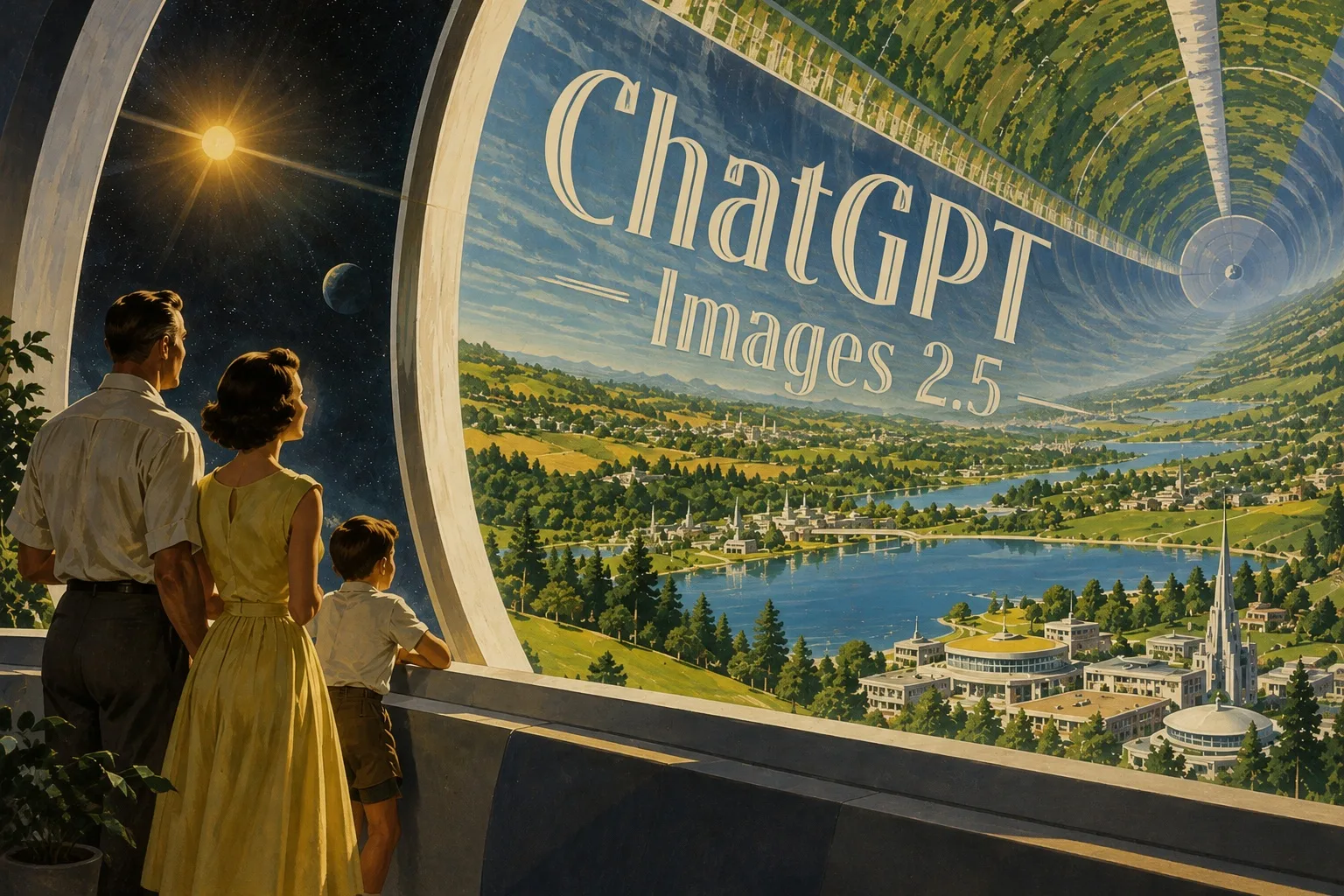
OpenAI has deployed the new Images 2.5 image model in ChatGPT. It promises sharper details, more natural lighting, generation up to twice as fast as the previous version, and above all, edits that do not disrupt the rest of the image. It also adds sketching directly in the app, templates for posters or promotional items, and the option to share the prompt together with the finished image. Developers have received two new models in the API called Flare and Sunburst. According to OpenAI, more than three billion images are created every week in ChatGPT Images and the image models available through the API.
Your likeness from a photo finally stays intact
OpenAI put the most work into fidelity to the source image. You upload your own photo, request a different setting, artistic style, or composition, and the result should still look like you rather than a distant relative. Lighting and textures appear more natural. Distinctive facial features are transferred into the new scene much more reliably.
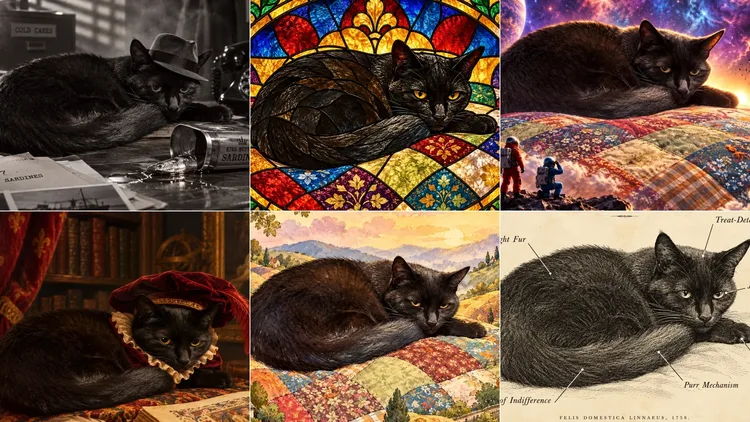
This was precisely the task at which earlier models most often failed. A journalist from Axios, who tested the new feature before its launch, says the difference is most noticeable with people and pets. He uploaded a photo of his cat Raven to ChatGPT and asked for suggestions about which genres to place her in. The model offered a film-noir detective story, stained glass, and a Renaissance portrait. In its own notes, it reminded itself that it had to preserve the cat's utterly indifferent expression. It then used the same photo to create a humorous anatomical diagram, labeling the eyes as a contemptuous gaze, the brain as an organ for detecting treats, and the tail as an expression of indifference.
The second major improvement concerns editing. Older models had a bad habit of quietly redrawing the face, the shape of an object, or part of the background along with a requested change to a jacket or text. According to OpenAI, the Images 2.5 model modifies only the selected area and leaves its surroundings unchanged. It can do this even with more complex objects and busy backgrounds. For companies that use the model through the API, this means they can replace a single element, such as a product, background, or text in an advertisement. The surrounding composition and corporate visual style remain completely intact.
This is also related to its behavior in long conversations. The model remembers earlier changes and builds each subsequent edit on what has already been created, so quality does not gradually deteriorate. Anyone who has ever edited an image in ChatGPT through a tenth version and watched the photo turn into a blurry mess will certainly appreciate this improvement.
A few lines are enough instead of a long description
The new Sketch feature allows users to draw directly in ChatGPT. You sketch a room layout, the outline of an outfit, or just a simple drawing, add a description of the style, and the model turns it into a finished image. The feature is activated by typing "@Sketch," and OpenAI emphasizes that no artistic talent is required. Explaining in words that a character should be on the left, a product in the center, and text at the top takes half a paragraph. Drawing it takes a few seconds, and the result is more accurate.
Templates, in-image comments, and shared prompts
For users who know what they want but do not want to start from scratch, templates have been added for the most common formats. For example, you can choose a poster or promotional items and specify what information should be included in the design, which visual elements should be used, and in what style.
Comments work by letting you write directly on the image and mark the area to which the edit applies. The journalist testing the feature tried it on a tattoo design for a friend. He uploaded a photo of her existing arm tattoo with a description of what she wanted to add, and ChatGPT returned four variations rendered next to the original design. His friend asked for lighter areas, circled the spot where she wanted a specific change, and ultimately chose a compromise between two versions. When she asked, the model also found local tattoo artists who specialize in a similar style.
The finished image can be shared together with the prompt used to create it. Other users can then take the same prompt and apply it to their own photos.
Text, transparent backgrounds, and complex layouts
The model also understands more complex visual instructions better. Images containing real-world information have more factually accurate content. The accuracy and layout of infographics have improved, and the system can also handle more demanding compositions, including transparent backgrounds. It adheres more faithfully to the requested visual style, so the result does not veer in a different direction as the prompt is refined.
Those who create a series of graphics for a single campaign, user interface designs, or presentation images with a fixed structure will save the most repetitive work with this improvement. A logo test showed, however, that miracles do not happen immediately. The assignment was to create a logo for coverage of the 2028 Olympics that could use the company's symbol but could not contain the word Olympics or the five rings, because the organizers carefully protect their trademarks. The first attempt was weak. It was only after a suggestion to place the sun behind the city skyline that the model produced something usable. At the user's request, ChatGPT then applied the result to a T-shirt, travel mug, bag, and badges.
Flare for speed, Sunburst for demanding work
Since its launch, the Images 2.5 model has been available across all ChatGPT tiers, in ChatGPT Work, and in Codex, on desktop, mobile, and the web.
Two variants available through the API are worth noting. GPT-Image-2.5 Flare provides the same improvements in quality, editing, and speed, and OpenAI recommends it as the default choice. It produces better images than GPT-Image-2 with half the latency. The GPT-Image-2.5 Sunburst model is aimed at more demanding projects where greater accuracy across edits is useful and users do not mind longer generation times.
Companies that received the models earlier mainly praise the system's ability to understand what it should not change. According to the Manus team, Flare delivers high-quality images two to four times faster than GPT-Image-2 in its tests and is suitable for branded materials, presentations, and websites. Adobe is also adding the new models to its Firefly studio.
Safe generation
Greater realism has a downside. Without safeguards, the model could produce more convincing fake images of real people, places, and events, whether political, sexual, or otherwise sensitive. Protections therefore operate at four levels. Prompts are checked before generation itself begins. Input images are also assessed by a safety model that examines text and images together, and the finished result is checked again before being displayed.
In an automated test using deliberately harmful prompts, Sunburst allowed through about one percent of images that should have been blocked. The figure was approximately 1.4 percent for Flare and around 1.6 percent for last year's Images 2.0. The greatest improvement came in the sexual-content category, where unwanted outputs fell from two percent to half a percent with Sunburst.
In the area of biological and cyber risks, neither model crossed the threshold for high risk. Nevertheless, as a precaution, OpenAI treats the models as if they had crossed it and applies the image-based equivalent of its biological safety policy to all inputs and outputs.
The company addresses image provenance in two ways. The files retain metadata based on the C2PA standard, and an invisible SynthID watermark from Google DeepMind has been added, which works in ChatGPT, Codex, and the API. OpenAI itself says that no single universal solution exists.