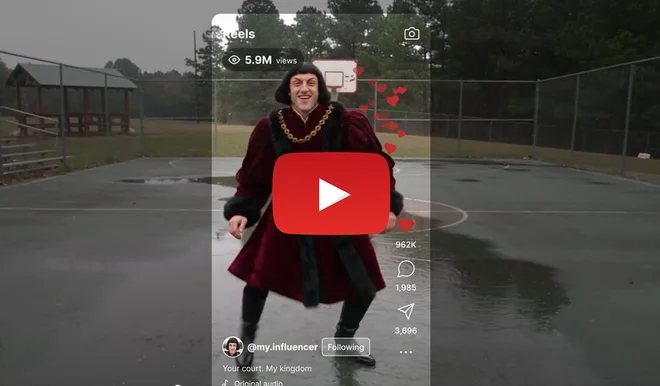
AI influencers are experiencing another wave of interest. However, they no longer look like the polished virtual models who flooded Instagram a few years ago. Today, attention is drawn to characters with distinctive quirks, such as unusual proportions, wild styles, tacky clothing, or exaggerated personalities. Higgsfield has responded to this trend with its AI Influencer tool. It promises that anyone can create their own digital persona without knowing how to write prompts and teach it a dance or skit currently trending on TikTok within minutes.
First the Character, Then the Content
The most common mistake made by novice creators is focusing on post content before they know the identity of their influencer. Graphic designer Ala Kallala, who works with the tool, recommends the opposite approach. The character must have enough distinctive features for people to recognize it in subsequent videos, but it must not be so complex that the AI renders it differently each time.
Higgsfield therefore divides characters into three categories based on how much they differ from an ordinary person. The Average level keeps the appearance grounded, Bold adds more daring elements, and Extreme embraces complete eccentricity. Kallala points out that an overly ordinary character will get lost in the flood of posts, while an overly exaggerated one will lose the ability to resonate with viewers.
How to Build Your Influencer
The entire creation process begins in the AI Influencer Studio section, where you simply open Influencer Builder or click the Create New button. Those who do not want to start from scratch can first browse the Explore gallery and use an existing character or popular format as a starting point.
In the second step, you can upload a photo. It can be your own or a picture of someone who has explicitly given you permission to use their face. This step is optional. If you add a photo, the system will preserve your identity while allowing you to change everything else, from age, body type, and hairstyle to wardrobe. Without a photo, it will create an entirely new person based on the selected settings.
Next comes the choice between the Average, Bold, and Extreme levels, followed by fine-tuning the appearance itself. The user goes through individual areas, including identity, body, face, hair, clothing style, and accessories. Everything can be configured manually, or you can press the Randomize button and let the system generate the entire combination at random.
Tiles Instead of Prompts
Higgsfield has designed the tool primarily for people who do not want to devise lengthy text prompts. Most options are handled through clickable tiles and switches. There are seven gender options and nine character types, including humans, mammals, and reptiles. You can also set ethnicity, age, body type, and skin or facial details. The options range from freckles, vitiligo, and birthmarks to sharp teeth or a forked tongue. Those who prefer words can also describe the character using their own text.
The system generates the finished character in two forms: a portrait and a full-body image against a white background. Both images are saved in the history and serve as a clean foundation for further work.
Edits with a Single Sentence
If the result does not turn out as expected, you do not have to start over. In the editor, simply type a short sentence, such as asking for the character to have a crew cut or a jaw twice as wide. Only the requested feature will change. You can also add clothing from another image by referencing it with an at sign. You can regenerate the character using the same settings or use it as a template for an entirely new influencer.
A Character That Stays Consistent
The biggest problem with AI influencers is that their faces tend to drift between images. Kallala therefore recommends creating what is known as a reference set. At minimum, it should contain a clear portrait and a full-body image; even better is a detailed character sheet showing the character from different angles and distances. Higgsfield itself takes the same approach. Once the appearance is complete, working with a saved identity is much more reliable than describing the face in words every time. In practice, this means checking the character parameters, regenerating it if necessary, and saving the final version as an asset. You can then repeatedly insert it into additional images and videos, and the influencer will continue to look the same. All created characters also remain in the library along with the settings used to create them.
Bringing the Influencer to Life
Static images are only half the job. The other half is handled by the Genjutsu video model, which Higgsfield offers directly from the interface through the Turn to Motion with Genjutsu button. It offers two main modes. Motion Transfer transfers movement from another video to your character while preserving the motion, camera work, and timing. Objects Swap, on the other hand, replaces a single selected element, such as clothing, a product, the environment, or text, while leaving the rest of the shot unchanged.
The motion source can be your own clip between 3 and 30 seconds long, from which the system extracts motion, camera movement, and rhythm frame by frame. The second option is to use prepared presets. Higgsfield selects movements from videos that are currently gaining traction and organizes them into the Higgsfield Curated, Trending, and New collections. Simply click, add your character, and start generating.
How to Replicate a Viral Trend
The process for imitating a specific trend is straightforward. First, create a character in AI Influencer Studio and set its age, appearance, face, body, hair, style, and accessories, or upload a reference photo if you want to preserve a specific likeness. Once generated, review the result and click Turn to Motion with Genjutsu. Then upload the popular video you want your influencer to recreate. It is useful to accompany the video with a short prompt explaining what the model should preserve. It might look like this.
“Recreate this reference video with my AI influencer. Preserve the original motion, camera framing, pace, gestures, and overall energy, while keeping my character’s face, hair, and clothing consistent throughout. Replicate the performance as faithfully as possible, do not change the character’s identity, and do not add any new visual elements.”
Then select Motion Transfer mode, choose the quality, and start generating. It is worth reviewing the finished video carefully. If the face, clothing, or movement differs from the original at any point, simply generate it again. You can then download the best version and publish it on TikTok, Instagram Reels, or YouTube Shorts.
New Settings Without a New Shoot
Genjutsu can load up to 40 influencer images into a single video, drawing them from saved assets, uploaded files, previous creations, or favorites. The resulting videos have a resolution of 1080p. Those who need more control can open the full editor through the Use in Genjutsu option.
It also allows you to generate multiple variants in batches. You can have a single shot generated with different outfits, products, or environments, select the best version, and create more like it. For brands that want to showcase an entire clothing collection on one character, this represents a significant time saving.
It Also Works in ChatGPT
Higgsfield also offers its influencer as an extension for ChatGPT. Users describe the appearance in the chat, choose their preferred movement, and receive the video without leaving the conversation. It can be tried for free without entering credit card details.
You can also start for free on the website, where new users receive credits for their first character and one video after registering. Creating or editing a character costs approximately one credit, and the system displays the price of each video before generation begins. Paid plans add more credits and earlier access to new features. According to the company, its services are already used by more than 25 million people.
How Much It Costs
Higgsfield offers several subscription tiers, with prices automatically adjusted to the country where the user is located. Individual plans range from $9 to $375 per month and provide between 120 and 9,000 credits, depending on the plan and region. The cheapest Starter, or Basic, plan covers only the basic models and allows two videos and four images to be generated simultaneously. The higher Plus and Ultra plans add more credits, more concurrently running tasks, and unlimited access to selected models, although this applies only on the Higgsfield website. The free account is primarily intended for exploring the tools and may not be used for commercial purposes, which are covered only by paid plans. Annual billing lowers the monthly price, while Team and Business plans are available for companies. Prospective customers negotiate the price of the Enterprise plan individually.
Source: alavisuals.com