

Canva Visual Suite 2.0: The Future of Creativity and Productivity
Canva, the popular graphic design platform, is once again pushing the boundaries of what is possible in visual creation. At its Canva Create 2025 event, the company unveiled Visual Suite 2.0, the biggest update in its history. This new version brings revolutionary tools that combine creativity, productivity, and artificial intelligence, promising to change the way individuals and teams create and collaborate.
Canva Visual Suite 2.0: What’s New?
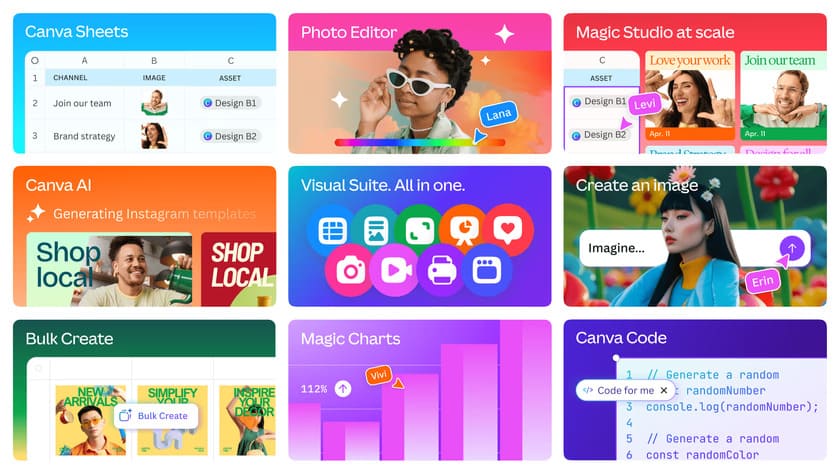
Visual Suite 2.0 is designed to be a comprehensive solution for visual communication. Canva is striving to overcome the traditional boundaries of graphic design and offer tools that make work easier not only for designers but also for everyday users. The main new features include:
- AI tools for spreadsheets and documents
Canva is now expanding its capabilities to spreadsheets and documents, meaning that users can create not only visually appealing presentations and graphics, but also professional-looking spreadsheets and text documents. Thanks to the integration of artificial intelligence, users can easily generate content, analyze data, and automate repetitive tasks. - Creative Workspace
The new Creative Workspace is designed as a central hub for team collaboration. It allows users to share projects, comment on them in real time, and manage all visual materials in one place. This tool is ideal for companies that want to streamline their workflows and improve communication between team members. - AI content generator
Canva has added advanced AI features that allow users to generate text, images, and even complete designs based on simple prompts. For example, users can enter a description, and Canva will automatically create a design that meets their needs. This feature is ideal for those who have no design experience but want professional results. - Improved templates and integrations
Canva has expanded its template library and added new integrations with popular tools such as Slack, Microsoft Teams, and Google Workspace. This means that users can easily connect Canva with other applications they use in their everyday work.
Canva Redefines Creativity and Productivity
According to Canva CEO Melanie Perkins, the goal of Visual Suite 2.0 is to “democratize design” and enable everyone, regardless of their skills, to create professional visual content. “We want people to be able to create faster, more efficiently, and with greater enjoyment,” Perkins said at the Canva Create 2025 event. Canva is also focusing on enterprise customers, who make up an increasingly large portion of its user base. New features such as Creative Workspace are designed to facilitate collaboration in large teams and improve the management of visual materials at the corporate level.
With this update, Canva clearly shows that it wants to be more than just a graphic design tool. By expanding into spreadsheets, documents, and advanced AI features, it is becoming a direct competitor to platforms such as Microsoft Office, Google Workspace, and even specialized design tools such as Adobe Creative Cloud. Canva, however, is banking on its simplicity and accessibility. While other platforms can be complex and require specialized knowledge, Canva remains intuitive and easy to use, which is a key factor in its success. For users, this means they will have access to tools that allow them to create faster, more efficiently, and with less effort. Whether you are a freelancer, a small business owner, or part of a large team, Canva Visual Suite 2.0 offers everything you need to succeed in today’s visually oriented world.


